Ability to Apply Late Fees to Unpaid Invoices from POS
A request for the option to automatically apply late fees to invoices that remain unpaid after a set due date.
Currently, late fees can be added to certain products (like season dues), but there isn’t a way to extend this functionality to invoices created for other types of charges. For clubs that bill members for items throughout the season, it becomes a manual process to add late fees one by one when invoices go unpaid.
An automated late fee option for invoices would:
Reduce the administrative work of tracking and adjusting accounts
Encourage members to pay balances on time
Provide consistent enforcement of payment policies
Would your club benefit from having late fees available for any unpaid invoice? If so, give it a and add your comments!
Bills (or now recently changed to invoices) is one of the features that we dislike. Before applying late fees, I would improve the following functionalities
Generate an email when an order is placed. The email should make it clear that they will eventually get invoiced for the order.
Have all system emails come from the club’s email address, instead of no-reply@membersplash.com. This will help avoid emails getting ignored or going to SPAM folder.
Improve the reminder emails. The email says “To view an itemized list of unpaid charges login to your account and click on the Billing tab"…”. There is no such thing as a Billing tab.
Allow a configuration to automatically create an invoice when the unpaid orders gets over a defined limit. For example, once a member’s unpaid orders hits $15, then create an invoice.
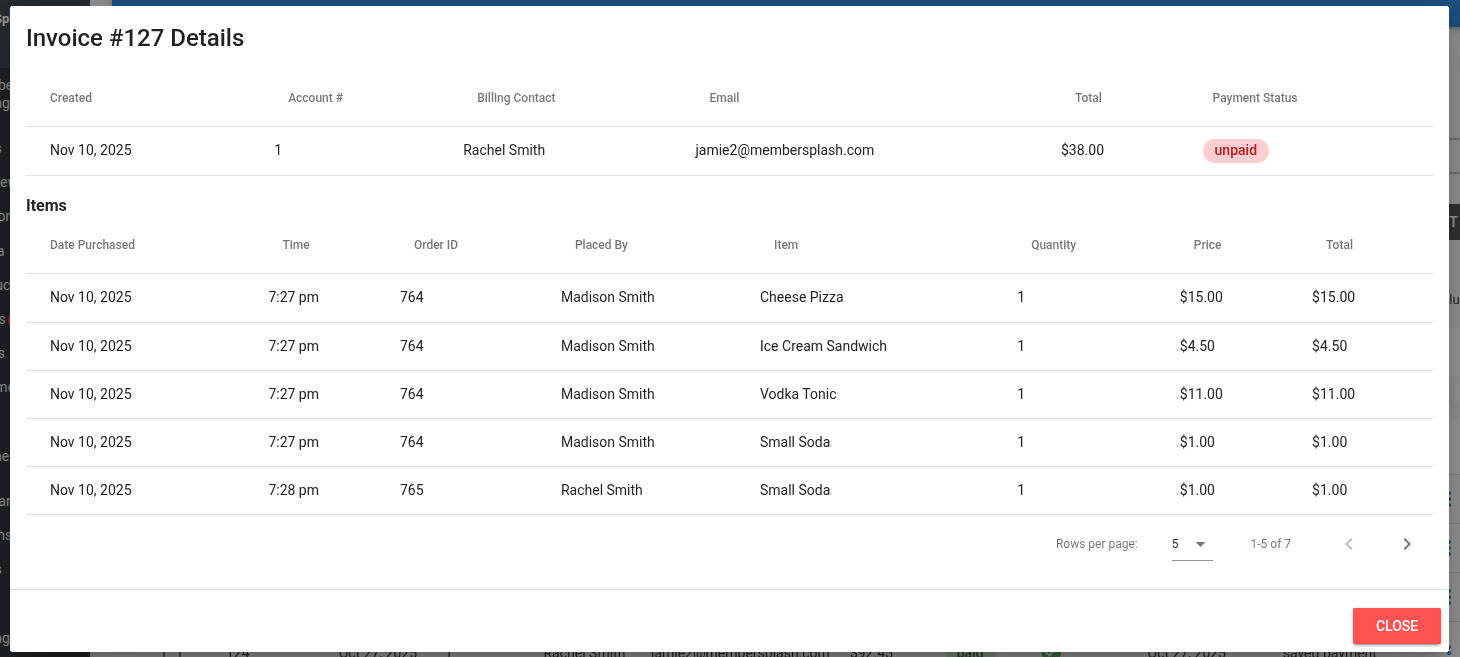
Hi @KurtSchumacher A revamp of the invoicing process is underway right now. View invoice details now shows an itemized list of all charges included in the invoice rather than showing a list of orders that then require a second click so you can see what was in the order:
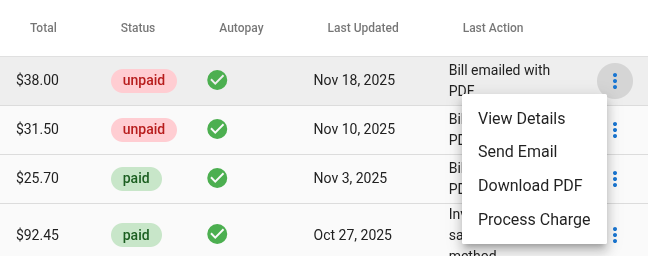
For unpaid invoices if the member has a saved payment method on file you can simply process the charge and they get a receipt. It also includes an itemized PDF of everything that was in the order.
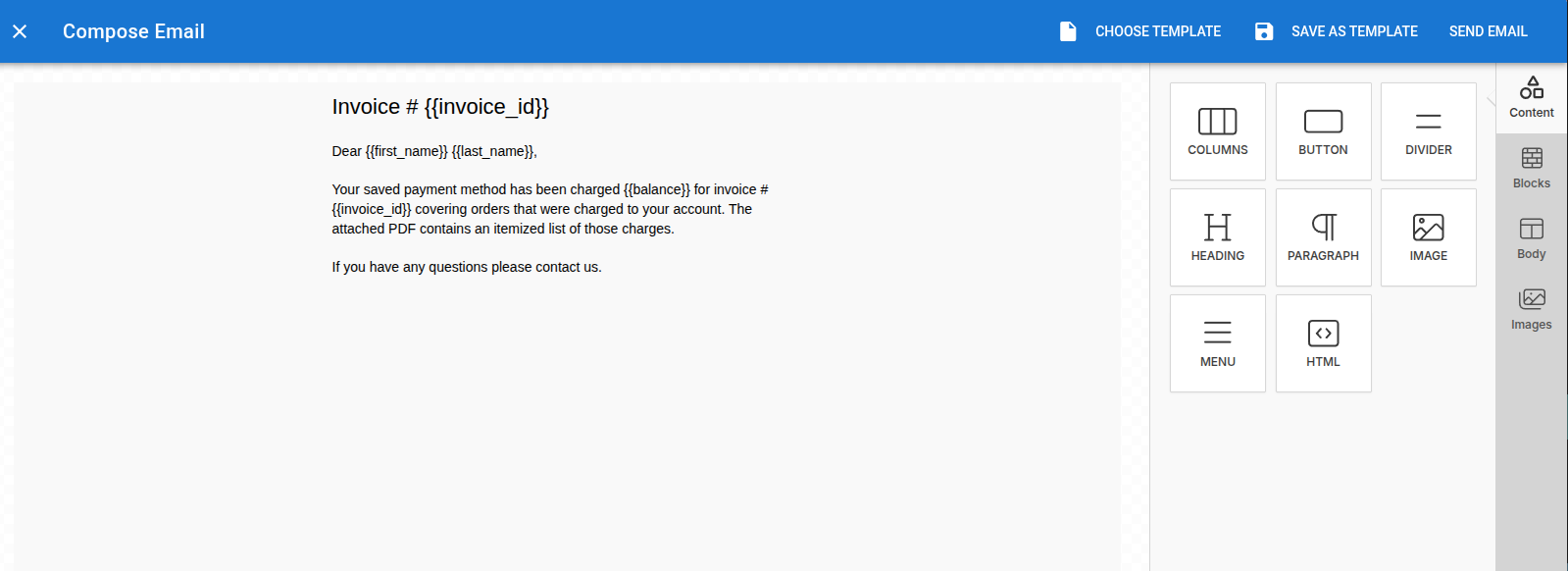
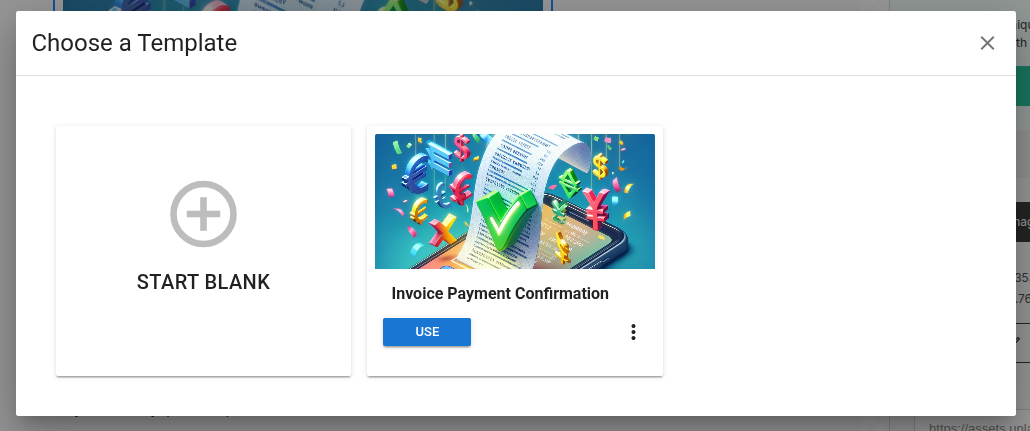
When you process charges for open invoices it starts by opening an email editor with a default template. You can customize the email and save any changes as a template to use in the future.
The reply-to email is actually done to optimize delivery. In order to send an email from a custom domain like sunnydayswim.com the club has to add specific DNS records so that SendGrid (the email delivery platform we use) is allowed to send on your behalf. Many clubs use an address like sunnydayswim@gmail.com, where they don’t even have access to add DNS records. By using a default reply address where we have configured all records necessary we can ensure that messages get through. The reply-to address does automatically default to whatever the club has set as their admin email and we can add in an option to override that on a per-send basis. That way members will get the email but if they hit reply it will go to whatever address you specify.
Auto-invoicing at a set amount is something else we can put on the potential features list though my guess is that once this release is live and you can simply require members to have a stored payment method in order to use bill to account (up to the clubs if they want to enforce that) then being able to process the charges and have the system email receipts and details will probably make that less compelling.
There are a ton of other enhancements in this release. Targeting to have it out by end of month.
In addition to the question above, is there (or will there be) functionality to require members to save their credit card information when paying membership dues?
Hi Kurt, thanks for flagging this! You’re absolutely right that we should be more active here - we’re still getting our rhythm down with Discourse as our new community platform. I apologize for the silence.
Regarding the features you mentioned:
Credit card on file reporting - You’re right, we don’t currently have a report showing which accounts have stored payment methods. I’m taking this to the dev team now. Being able to filter both ways (who has cards AND who’s missing them) would definitely be useful. I’ll include that in the request.
Required card on file setting - We’ve heard this from several customers and it’s in active development. I’m working to get you a specific timeline.
Enhanced email editor for invoices - This is in final development phases. Let me get you an updated release date.
I’ll follow up here by the end of the week with more specific timelines on items 2 and 3.
Going forward, we’re committing to checking this community daily. Thanks for holding us accountable and for your patience as we dial this in.
Just wanted to give you a quick update on the items we discussed earlier this week.
The dev team is actively reviewing all three features right now and working through the implementation details. I don’t have specific release dates yet, but I can tell you the scope has been discussed internally, defined and narrowed down as they prepare for deployment.
I know that’s not the concrete timeline I promised, but I wanted to keep you in the loop rather than wait until I have every detail locked down. I’m staying on top of this and will update you as soon as I have firmer dates.
 Would your club benefit from having late fees available for any unpaid invoice? If so, give it a
  and add your comments!