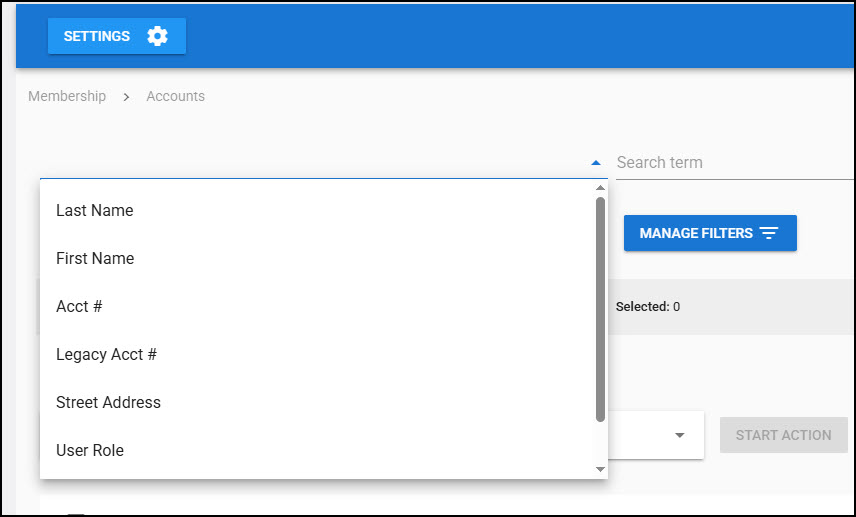
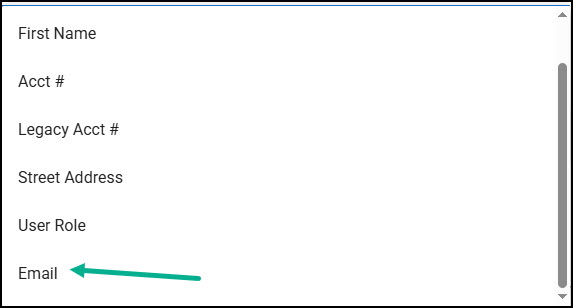
We often will search for an account by their email address. Unfortunately, email address is the last option on the list and you have to scroll to select it. It would be great to do one of the following
Remove Legacy Acct # (if a club like ours does not use it)
Move Street Address (least common search criteria) to the bottom
Allow all 7 options to be visible without scrolling
Hi Kurt, we just pushed out an update that partially addresses this by allowing you to save a default search field on the list accounts screen. That whole screen is due for a refresh and we’ll address the other parts of the request in that update.
Is there somewhere I can go to see a list of the “updates” that were recently pushed out? I tend to find some of them “by accident” (like this one), but it would be nice to know if some of the suggestions I’ve been waiting for have been added to the software.