We’ve added powerful new customization options for Account Tags, giving you more control over how tags appear to your members and greater flexibility in how you use them.
You can now choose whether individual tags are visible to members on their dashboard. By default, tags remain admin-only, but you can enable visibility on a per-tag basis to share relevant status information with your members.
Two Display Styles
-
Tag (Default): Clean chip-style labels that display the tag name. Add an optional hover tooltip to provide additional context without cluttering the interface.
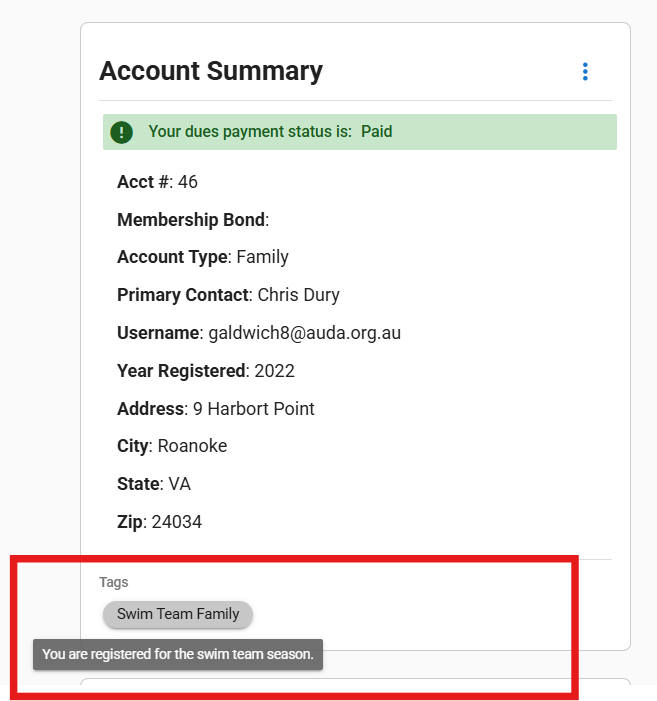
-
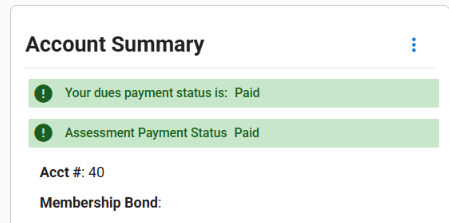
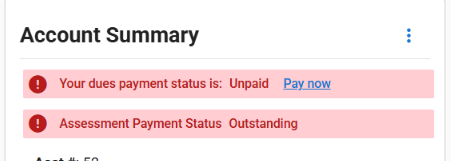
Status Badge: Present tags as dynamic status indicators that match your Payment Status styling. Perfect for membership types, approval statuses, or any binary state you want to communicate clearly.
-
Displays in green when the tag is active on an account
-
Shows in red when inactive
-

Fully customizable: set your own status label, active text, and inactive text to match your organization’s terminology
Full Article:
Release Notes: